 Editors Lab
Transition Utility lite
Transition Utility is a plugin that will save you from the pain of adding transitions to your timeline. In DaVinci, we all know how hard it is to add transitions, and sometimes it doesn’t even work due to a lack of clip duration. Well, this headache is no more because Transition Utility is here to save the day.
Easy Setup:
Setting up the Transition Utility is quick and simple. Head to the Effects tab in DaVinci Resolve, search for Transition Utility under the Generator window, and drag it to your timeline. For optimal placement, if you’re transitioning between two clips totaling 6 seconds, place the transition in the middle, adjusting to the desired length (e.g., for a 1-second transition, place it between 2.5 and 3.5 seconds).
If you adjust the duration, don’t worry—the process is fully automated, thanks to advanced expressions that handle everything for you. It adjusts the effect in real time to match the new clip duration, making the process effortless.
Features:
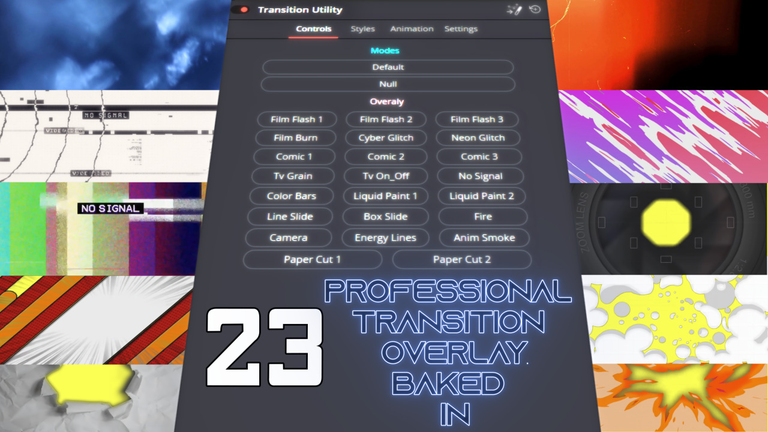
- 23 Customizable Overlays: Each overlay is designed with a unique style, allowing you to fine-tune your transitions to fit your project perfectly. Available overlays include:
- Film Flash 1 & 2
- Film Burn
- Cyber Glitch
- Neon Glitch
- Comic 1, 2, & 3
- TV Grain
- TV On/Off
- Color Bars
- Liquid Paint 1 & 2
- No Signal
- Box Slide
- Fire
- Line Slide
- Camera
- Energy Lines
- Animated Smoke
- Paper Cut 1 & 2
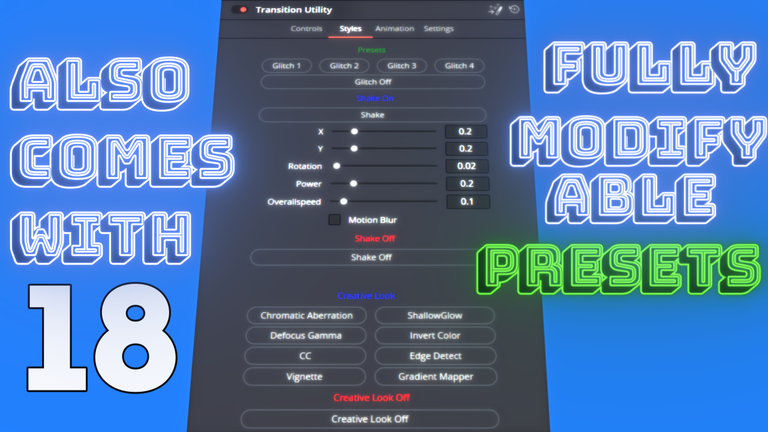
- Over 18 Presets to Choose From: Offering a wide variety of creative effects, including:
- Glitch 1, Glitch 2, Glitch 3, Glitch 4
- Shake: Fully customizable shake options with control over X, Y, rotation, power, and overall speed. Add motion blur for extra realism.
- Chromatic Aberration, Defocus Gamma, Vignette, Shallow Glow, Invert Color, CC, Edge Detect, Gradient Mapper
- Each preset can be combined or used individually for maximum creative flexibility.
Advanced Animation Engines:
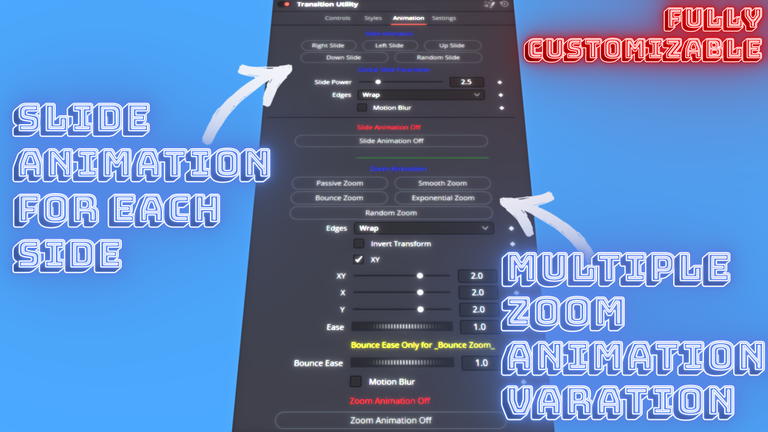
- Slide Animations: Choose from Right Slide, Left Slide, Up Slide, Down Slide, or even a Random Slide. Fine-tune with adjustable slide power and edge wrapping options. Add motion blur for smooth results.
- Zoom Animations: From subtle to dynamic, pick from Passive Zoom, Smooth Zoom, Bounce Zoom, Exponential Zoom, or Random Zoom for a variety of zooming effects.
Optimized Performance:
The plugin is engineered for efficiency, automatically disabling any unnecessary parameters when adjusting settings to ensure smooth playback and rendering.